The 2026 Website Redesign Checklist
Everything You Need Before You Start
A website redesign is one of the biggest digital projects an organization can undertake. Whether you’re a small/medium sized business, university department, nonprofit, research lab, or mission-driven team, the success of your redesign depends heavily on preparation.
Starting without clarity leads to:
- Scope creep
- Budget overruns
- Delays
- Inconsistent content
- Frustrated stakeholders
This comprehensive 2026 redesign checklist ensures your project starts on solid ground — saving you time, money, and stress.


Clarify Your Organizational Goals
Before design, before content, before anything — define your goals.
Common goals include:
- Improve usability and accessibility
- Modernize your brand
- Make content easier to find
- Increase program participation
- Reduce staff workload
- Improve mobile performance
- Centralize content from multiple sources
Understand Your Audiences
Most organizations serve multiple audiences:
- Students
- Researchers
- Program participants
- Grant agencies
- Donors
- Partners
- Press
- Prospective collaborators

Inventory Your Current Content
Most sites accumulate content over 5–10 years without cleanup. Before redesigning:
- Pages
- PDFs
- Forms
- News
- Events
- People profiles
- Resources
- Publications
- Galleries
- Redirects
- Legacy content
- What stays
- What goes
- What must be edited
- What needs rewriting
- What needs a new information architecture
The biggest delays in redesigns come from unclean content.
Map Out Your Information Architecture
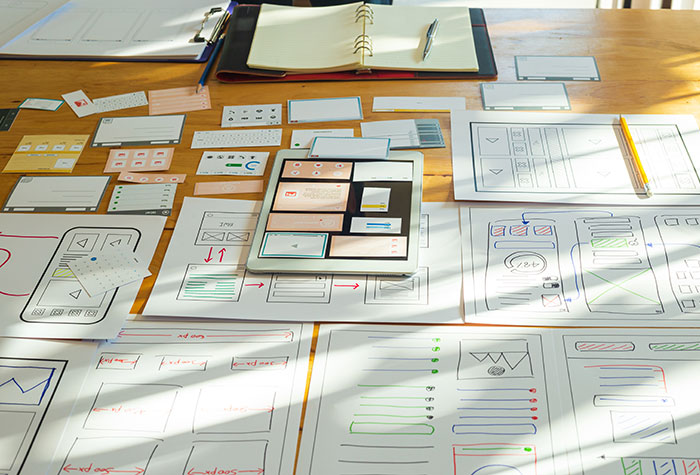
This includes:
- Sitemap
- Taxonomies (categories, tags, custom taxonomies)
- Content types (events, news, people, publications, etc.)
- Navigation structure
- Breadcrumbs
- Filtering needs
For larger organizations, this is often the most important step — and where professional guidance makes the biggest difference.
Identify Functional Requirements
Clarify your technical needs early so the build can be scoped correctly.
Examples:
- Events/calendar
- People directory
- Project database
- Blog or news
- Publication repository
- Search with filters
- Multi-language support
- Internal-only content
- Donation integration
- CRM or API integrations
- SSO or authentication systems

Define Your Brand and Visual Direction
Gather:
- Logos
- Color palettes
- Typography
- Brand guidelines
- Example materials (flyers, brochures)
- Photography and illustration assets
If you don’t have a full brand system, create a minimum visual foundation before design begins.
Plan Your Content Rewrite
Most organizations underestimate the time required to rewrite content.
Consider:
- Who will write the content?
- Who approves it?
- What’s the tone and style?
- How will content be organized?
- What content needs to be merged?
A redesign without a content plan is like building a house without a floor plan.


Budget Realistically
Plan for:
- Website design & build
- Content migration
- Integration work
- QA and accessibility testing
- Hosting
- Ongoing maintenance
Most organizations underestimate the time and people needed. We have a guide for how much a WordPress website generally costs.
Plan for SEO & Redirects
SEO gets overlooked in many redesigns.
Make sure your plan includes:
- Redirect strategy to maintain current SEO
- Metadata on new pages
- Schema markup where appropraite
- Image optimization
- Performance optimization
- URL mapping for moved/merged pages

Conclusion: Preparation Makes or Breaks Your Redesign
A successful redesign isn’t about rushing into design — it’s about getting the foundation right.
By following this checklist, your organization will:
- Avoid expensive surprises
- Create a smoother process for all stakeholders
- Reduce project delays
- Launch a more intuitive, accessible, and maintainable website