
The 2026 Website Redesign Checklist
Everything You Need Before You Start
A website redesign is one of the biggest digital projects an organization can undertake. Whether you’re a small/medium sized business, university department, nonprofit, research lab, or mission-driven team, the success of your redesign depends heavily on preparation.
Starting without clarity leads to:
- Scope creep
- Budget overruns
- Delays
- Inconsistent content
- Frustrated stakeholders
This comprehensive 2026 redesign checklist ensures your project starts on solid ground — saving you time, money, and stress.


Clarify Your Organizational Goals
Before design, before content, before anything — define your goals.
Common goals include:
- Improve usability and accessibility
- Modernize your brand
- Make content easier to find
- Increase program participation
- Reduce staff workload
- Improve mobile performance
- Centralize content from multiple sources
Understand Your Audiences
Most organizations serve multiple audiences:
- Students
- Researchers
- Program participants
- Grant agencies
- Donors
- Partners
- Press
- Prospective collaborators

Inventory Your Current Content
Most sites accumulate content over 5–10 years without cleanup. Before redesigning:
- Pages
- PDFs
- Forms
- News
- Events
- People profiles
- Resources
- Publications
- Galleries
- Redirects
- Legacy content
- What stays
- What goes
- What must be edited
- What needs rewriting
- What needs a new information architecture
The biggest delays in redesigns come from unclean content.
Map Out Your Information Architecture
This includes:
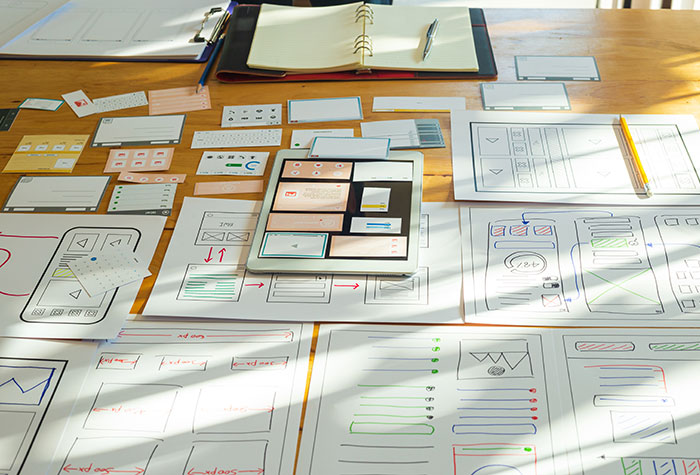
- Sitemap
- Taxonomies (categories, tags, custom taxonomies)
- Content types (events, news, people, publications, etc.)
- Navigation structure
- Breadcrumbs
- Filtering needs
For larger organizations, this is often the most important step — and where professional guidance makes the biggest difference.
Identify Functional Requirements
Clarify your technical needs early so the build can be scoped correctly.
Examples:
- Events/calendar
- People directory
- Project database
- Blog or news
- Publication repository
- Search with filters
- Multi-language support
- Internal-only content
- Donation integration
- CRM or API integrations
- SSO or authentication systems

Define Your Brand and Visual Direction
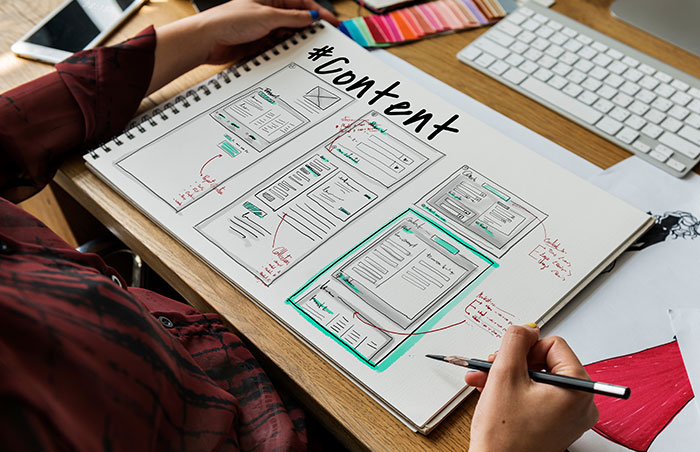
Gather:
- Logos
- Color palettes
- Typography
- Brand guidelines
- Example materials (flyers, brochures)
- Photography and illustration assets
If you don’t have a full brand system, create a minimum visual foundation before design begins.
Plan Your Content Rewrite
Most organizations underestimate the time required to rewrite content.
Consider:
- Who will write the content?
- Who approves it?
- What’s the tone and style?
- How will content be organized?
- What content needs to be merged?
A redesign without a content plan is like building a house without a floor plan.


Budget Realistically
Plan for:
- Website design & build
- Content migration
- Integration work
- QA and accessibility testing
- Hosting
- Ongoing maintenance
Most organizations underestimate the time and people needed. We have a guide for how much a WordPress website generally costs.
Plan for SEO & Redirects
SEO gets overlooked in many redesigns.
Make sure your plan includes:
- Redirect strategy to maintain current SEO
- Metadata on new pages
- Schema markup where appropraite
- Image optimization
- Performance optimization
- URL mapping for moved/merged pages

Conclusion: Preparation Makes or Breaks Your Redesign
A successful redesign isn’t about rushing into design — it’s about getting the foundation right.
By following this checklist, your organization will:
- Avoid expensive surprises
- Create a smoother process for all stakeholders
- Reduce project delays
- Launch a more intuitive, accessible, and maintainable website
Ready to Start Your Redesign?
HyperArts specializes in website redesigns for businesses, universities, nonprofits, and research organizations.
If you want expert guidance through discovery, information architecture, design, and development, schedule a consultation and we’ll help you plan your project with clarity and confidence.